
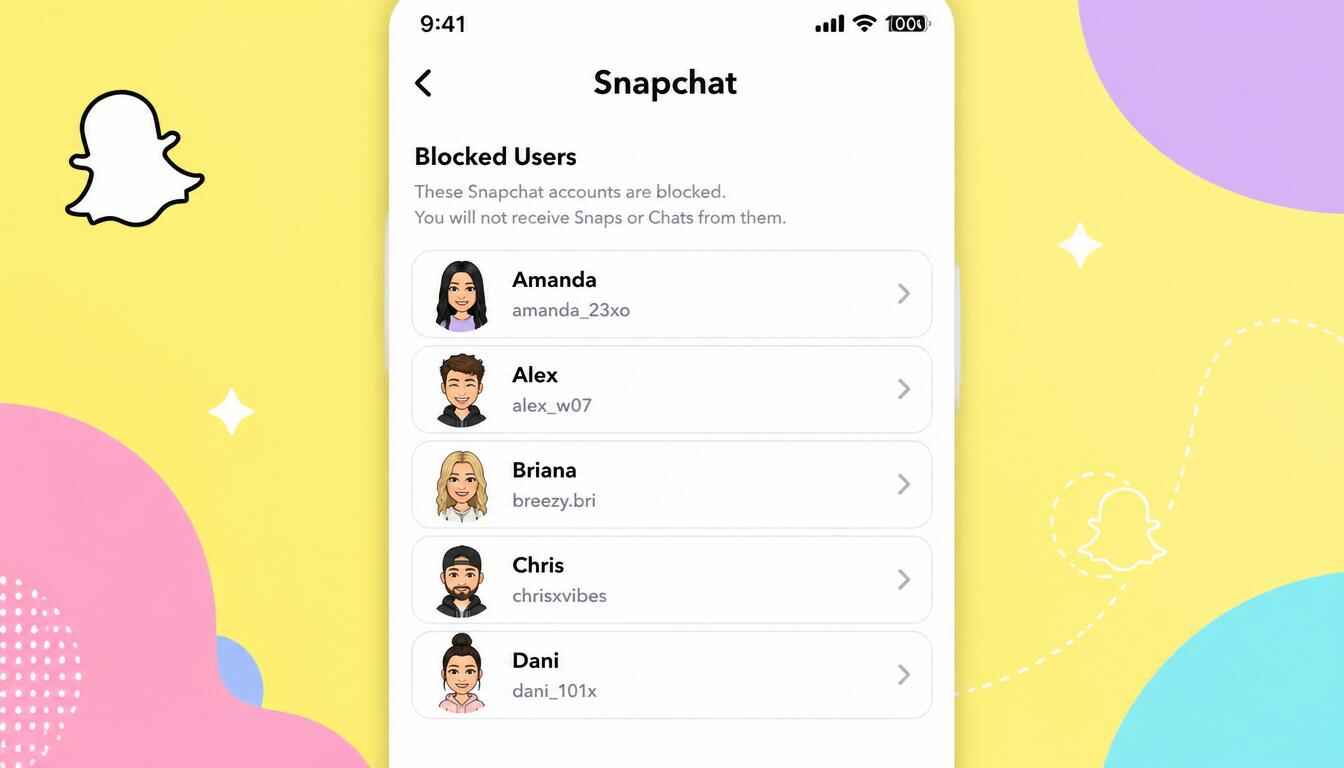
Snapchat offers several privacy features that help users control who can interact with them. One of the most useful options is the ability to block people. Whether you blocked someone due to spam, privacy concerns, or personal reasons, there may come a time when you want to review your blocked list.
If you’re wondering how to see who you blocked on Snapchat, the process is straightforward. In this guide, we’ll show you exactly where to find your blocked users list, how to manage blocked accounts, and what happens when you decide to unblock someone.
What Happens When You Block Someone on Snapchat?
When you block a user on Snapchat, several things occur immediately:
- They can no longer send you Snaps or messages.
- They cannot view your Stories or private content.
- Your profile becomes inaccessible to them.
- They are removed from your friends list.
- Snapchat prevents most forms of interaction between accounts.
Blocking is different from removing a friend because it completely restricts communication until you manually reverse the action.
How to See Who You Blocked on Snapchat
If you want to review the users you’ve blocked, follow these simple steps:
Step 1: Open Snapchat
Launch the Snapchat app on your Android or iPhone device and sign in to your account.
Step 2: Access Your Profile
Tap your Bitmoji or profile icon located in the upper-left corner of the screen.
Step 3: Open Settings
In your profile section, tap the gear icon in the upper-right corner to open Snapchat Settings.
Step 4: Scroll Down to Privacy Controls
Continue scrolling through the settings menu until you find the privacy-related options.
Step 5: Select “Blocked”
Tap Blocked to open a complete list of all Snapchat accounts you’ve blocked.
You will instantly see every user currently blocked from contacting or interacting with you.
How to Find Blocked People on Snapchat
Many users search for how to find blocked people on Snapchat after accidentally blocking someone or forgetting who they blocked in the past.
The blocked users list acts as a centralized location where Snapchat stores all blocked accounts. Once you open the Blocked section in Settings, you’ll see usernames displayed in chronological order based on when they were blocked.
This list allows you to:
- Review blocked users.
- Identify previously blocked friends.
- Unblock accounts if necessary.
- Manage your privacy settings more effectively.
How to Unblock Someone on Snapchat
If you decide to restore communication with a blocked user, Snapchat makes unblocking easy.
Follow These Steps:
- Open Snapchat.
- Go to your Profile.
- Tap the Settings icon.
- Scroll down and select Blocked.
- Locate the username you want to unblock.
- Tap the X next to their name.
- Confirm the action.
The user will be removed from your blocked list immediately.
Also, a common question users ask is: if i unblock someone on snapchat what happens?
When you unblock someone:
- They regain the ability to find your account.
- They may be able to send you messages depending on your privacy settings.
- They are not automatically added back as a friend.
- Previous chat history may not be restored.
- They do not receive a notification that they were unblocked.
If you want to reconnect fully, you may need to send them a new friend request after you unblock them.
Difference Between Blocking and Removing a Friend
Many Snapchat users confuse blocking with removing a friend. Here’s how they differ:
| Feature | Remove Friend | Block User |
| Removes from friends list | Yes | Yes |
| Prevents messages | No | Yes |
| Hides profile | No | Yes |
| Stops Story viewing | Depends on privacy settings | Yes |
| Can search your account | Usually Yes | No |
Blocking offers a higher level of privacy and protection than simply removing someone from your friends list.
Can You Block and Unblock Someone Multiple Times?
Yes. Snapchat allows users to block and unblock accounts as often as needed. There are no limits on the number of times you can perform these actions.
However, repeatedly blocking and unblocking the same person does not restore old friendships or message history. If communication is desired after unblocking, one of you may need to send a new friend request.
Frequently Asked Questions
Where is the blocked list on Snapchat?
The blocked list is located under:
Profile → Settings → Blocked
Will someone know if I unblock them?
No. Snapchat does not notify users when they are unblocked.
Can blocked users see my Snapchat profile?
No. Once blocked, they cannot view your profile, Stories, or most account information.
Do messages come back after unblocking someone?
Generally, previous messages and interactions are not automatically restored.
Can I add someone again after unblocking them?
Yes. You can send a new friend request after unblocking the user.
