
Cloaking is a term that often appears in SEO discussions, especially when talking about black-hat tactics and Google penalties. Yet many website owners still don’t fully understand what Cloaking is and how it works. In actuality, it is really harmful for their online presence. In this blog, we’ll break down the concept in simple words, explore different types of Cloaking, and explain why avoiding it is essential for long-term SEO success.
Understanding What Cloaking Really Means
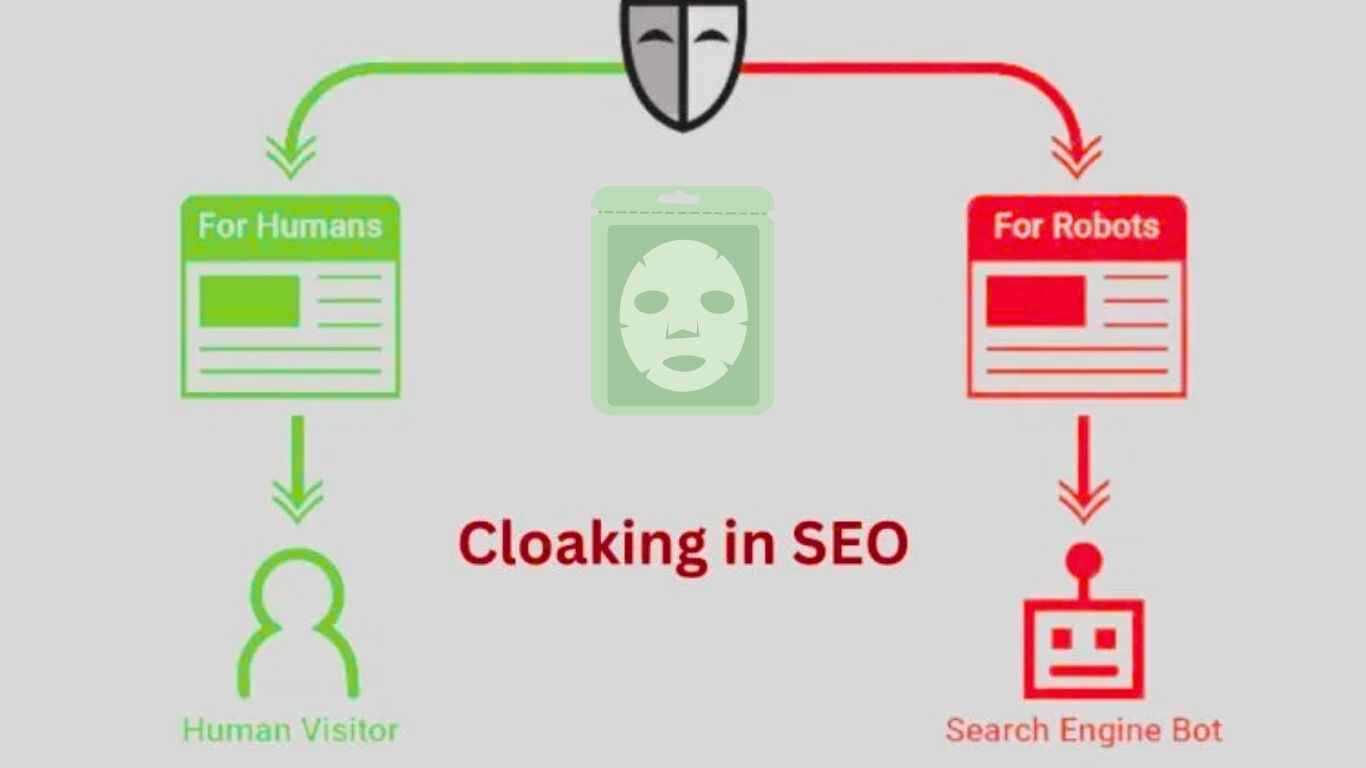
In SEO, cloaking is a technique in which a website displays one version of a page to search engines and a different version to real users. The goal is to trick Google into thinking the page is more relevant than it actually is.
Search engines view cloaking as a major violation of their rules because it harms the quality and trustworthiness of search results. When users click on a page and see something different from what was promised, it breaks their trust.
Why Do Websites Use Cloaking?
Most websites that use Cloaking do it for manipulative reasons. The main goal is to rank higher on search engines without providing genuine value to users. Here are some common motivations:
- To rank for keywords not shown to users
- To hide poor-quality or spam content
- To show promotional or restricted content only to search engines
- To bypass ads or content rules
While these may bring short-term gains, the long-term consequences can be highly damaging.
How Cloaking Works Behind the Scenes
Cloaking usually involves detecting whether a visitor is a search engine crawler or a real human user. This is done through methods like:
- IP Address Detection: Showing different versions to Googlebot and regular users.
- User-Agent Detection: Serving content based on the browser or device type.
- JavaScript-Based Content Switching: Displaying full content to bots but hiding it for users.
- HTTP Header Manipulation: Redirecting bots to optimized pages while sending users elsewhere.
These techniques create a misleading environment where search engines are fed one narrative, while users see something completely different.
Examples of Cloaking in SEO
To understand cloaking better, here are a few real-world examples:
1. Content Cloaking
A page shows detailed text to Googlebot but shows minimal or unrelated content to users.
2. Keyword Stuffing Cloaking
Bots see pages stuffed with keywords, while users see clean formatting.
3. Redirect Cloaking
Search engines return valid results, but users are redirected to spam, ads, or irrelevant websites.
4. Image Cloaking
Different images or watermarked versions are served to users compared to what search engines index.
5. Affiliate Cloaking
A website hides affiliate links from search engines to avoid penalties or manipulate rankings.
Is Cloaking Always Illegal in SEO?
Cloaking is not illegal by law, but it is strictly against Google’s rules. Search engines see it as a deceptive tactic because it shows different content to users and crawlers. While some cases, such as location-based or personalized content, are allowed, intentional cloaking used to boost rankings can lead to serious penalties or removal from search results.
Beware! Why SEO Is Important
Beware! SEO Basics
Why Cloaking Can Harm Your Website
Using Cloaking can lead to serious consequences that affect your website’s long-term visibility and credibility.
1. Google Penalties
Google can impose manual or algorithmic penalties that instantly drop your rankings.
2. Complete De-indexing
In severe cases, Google may completely remove your site from search results.
3. Loss of Organic Traffic
Once penalized, recovering your traffic can take months or may never fully recover.
4. Long-Term Trust Issues
Users may lose trust if they feel tricked by misleading pages.
5. Negative Brand Reputation
Search engines and online communities often blacklist websites that use deceptive tactics.
How to Check If Your Website Is Cloaking Content
To check if your website is cloaking content, start by comparing what search engines see with what real users see. You can use Google Search Console’s URL Inspection Tool or “Fetch as Google” to view the version served to crawlers. Then, open the same page in a normal browser and compare the content.
Also, test the page with JavaScript disabled, review all redirects, and scan for hidden text or scripts added by plugins. If both versions match and there are no hidden elements, your site is not engaging in Cloaking.
How to Avoid Cloaking in SEO
Here are some of the safest and simplest ways to avoid Cloaking:
- Ensure both bots and users see the duplicate main content.
- Avoid hiding text, keywords, or links for SEO purposes.
- Use proper structured data instead of manipulating HTML.
- Keep your redirects clean and transparent.
- Audit third-party plugins for potential hidden elements.
- Follow Google’s webmaster guidelines strictly.
Clean, ethical SEO practices always deliver the best long-term results.
Cloaking vs. Legitimate Personalization: Key Differences
Many people confuse cloaking with personalization. The difference is simple:
| Cloaking | Personalization |
| Misleads search engines | Tailors content for users |
| Shows two different versions | Same main content for all |
| Violates guidelines | Follows SEO best practices |
| Intent is manipulation | Intent is user experience |
As long as your content changes are designed for users—not to trick Google—you’re safe.
Final Thoughts: Should You Ever Use Cloaking?
In short, the answer is no, cloaking is never a safe or reliable SEO tactic. Even if it seems like a quick way to gain better rankings, it carries serious risks and goes against search engine rules. Modern SEO emphasizes transparency, quality, relevance, and strong user experience, and cloaking conflicts with all of these standards.
Rather than trying to trick search algorithms, focus on sustainable, ethical approaches such as creating valuable content, using keywords effectively, keeping your site technically sound, and building real engagement with your audience.
In the long run, the websites that perform best are the ones that stay truthful, relevant, and committed to providing genuine value to their users.
